

>>I am brazilian and I speak portuguese, so forgive my english, I’ll use translator tools to help<<
INTRO:
Following the line of FiiO’s portable DAC/AMPS, today I’ll review the FiiO Q11. The product arrives with a very interesting price range, it costs almost half the price of a FiiO Q3 and delivers more power than the mentioned DAC/AMP (in the two available outputs, 3.5mm and 4.4mm). Currently on the market, the Q11 seems to be the only product with the configurations it has, and for the price it has… at least I’m not aware of another one with these conditions, what is usually going to be easier to find are dongles.
Price: $89.99 USD
Colors: Black
FiiO’s previous reviews: JD7, KA5, FD11 (english), FH3, KA1, HS18 (portuguese)
FiiO store:
https://s.click.aliexpress.com/e/_o2B4K8T
SPECIFICATIONS:
| General specifications | |||
| Name/Model | Q11 | Hardware solutions | DAC: CS43198 |
| Color | Black | Volume control | Analog Potentiometer (ADC Sampling) |
| Weight | 143.2g (Q11 body) | Size | 6 x 10.7 x 1.6 cm |
| Sampling rate indicator | Light blue: ≤48K Yellow: >48K Green: DSD | Recommended headphone impedance | PO: 16 ~ 150Ω |
| BAL: 16 ~ 300Ω | |||
| Maximum supported sampling rate | 384kHz/32bit (USB, COAX) | ||
| DSD64/128/256 | |||
| Buttons and interfaces | |||
| USB interface | TYPE-C USB2.0 (charging/data) | Knob | Switch/Volume Adjustment |
| Toggle Switch | Gain switch | Ambient light window | Sampling rate indicator |
| Light hole | Power indicator | SE phone out | Standard 3.5mm port |
| SPDIF output | 3.5mm port (shared with PO) | BAL phone out | Standard 4.4mm port |
| Power parameters | |||
| Power supply | DC5V 2A (recommended) | Battery capacity | 2600mAH |
| Charging time | <2.5H | Battery life | PO≥13.5H BAL≥13H |
| Battery life and test conditions | |||
| Audio in | USB | Output power | 40mV |
| Music track | MP3 44.1K-16bit | Impedance | 32ohms |
| Audio parameters | |||
| Headphone output performance parameters (3.5mm) | |||
| Output power | 310mW(16Ω,THD+N<1%.USB IN) | Output amplitude | ≥2.3V(32Ω,THD+N<1%) |
| 165mW(32Ω,THD+N<1%,USB IN) | ≥ 2.4V (no-load) | ||
| 19mW(300Ω,THD+N<1%,USB IN) | Output impedance | < 1.2Ω | |
| Frequency response | 20Hz~ 20Khz, curve amplitude change ≤ 0.1dB | Crosstalk | ≥70dB(1Khz,32Ω) |
| 20Hz~ 50Khz, curve amplitude change ≤ 0.1dB | SNR | ≥ 122dB (32Ω A weighted) | |
| THD+N | < 0.0006% (-3dB, 32Ω ) | Noise floor | 1.8uV”A” |
| Headphone output part performance parameters (4.4mm) | |||
| Output power | 640mW(16Ω,THD+N<1%.USB IN) | Output amplitude | ≥4.5V(32Ω,THD+N<1%) |
| 650mW(32Ω,THD+N<1%,USB IN) | ≥ 4.8V (no-load) | ||
| 75mW(300Ω,THD+N<1%,USB IN) | Output impedance | < 2.0Ω | |
| Frequency response | 20Hz~ 20Khz, curve amplitude change ≤ 0.1dB | Crosstalk | ≥102dB(1Khz,32Ω) |
| 20Hz~ 50Khz, curve amplitude change ≤ 0.1dB | SNR | ≥ 125dB (32Ω A weighted) | |
| THD+N | < 0.0006% (-6dB, 32Ω ) | Noise floor | 2.4uV”A” |
DEVICES USED:
– FiiO FD11
– FiiO FH3
– Tin HiFi P1
– MotoZ3Play
– Dell Inspiron 14 (W10)





PHYSICAL ASPECTS:
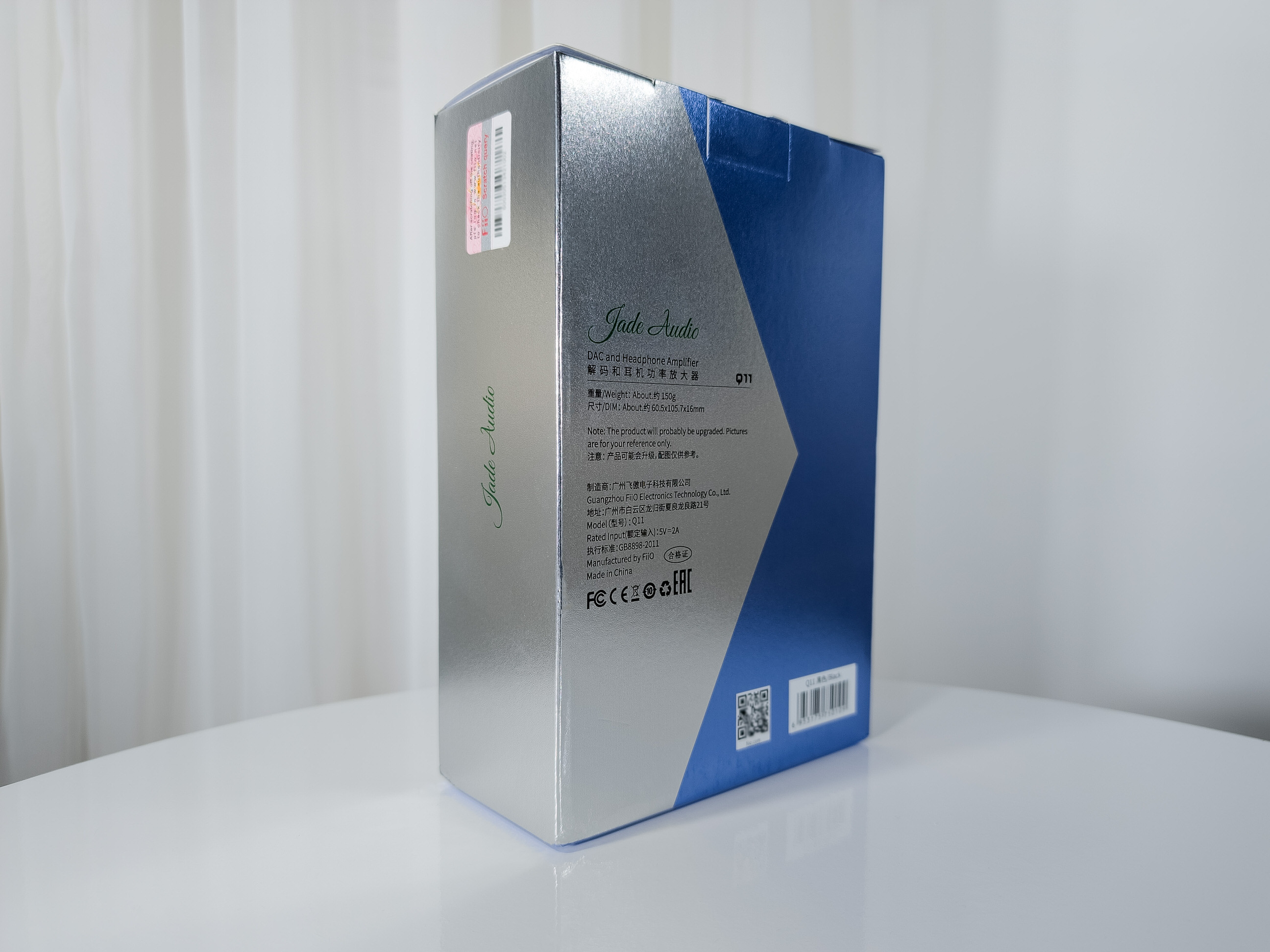
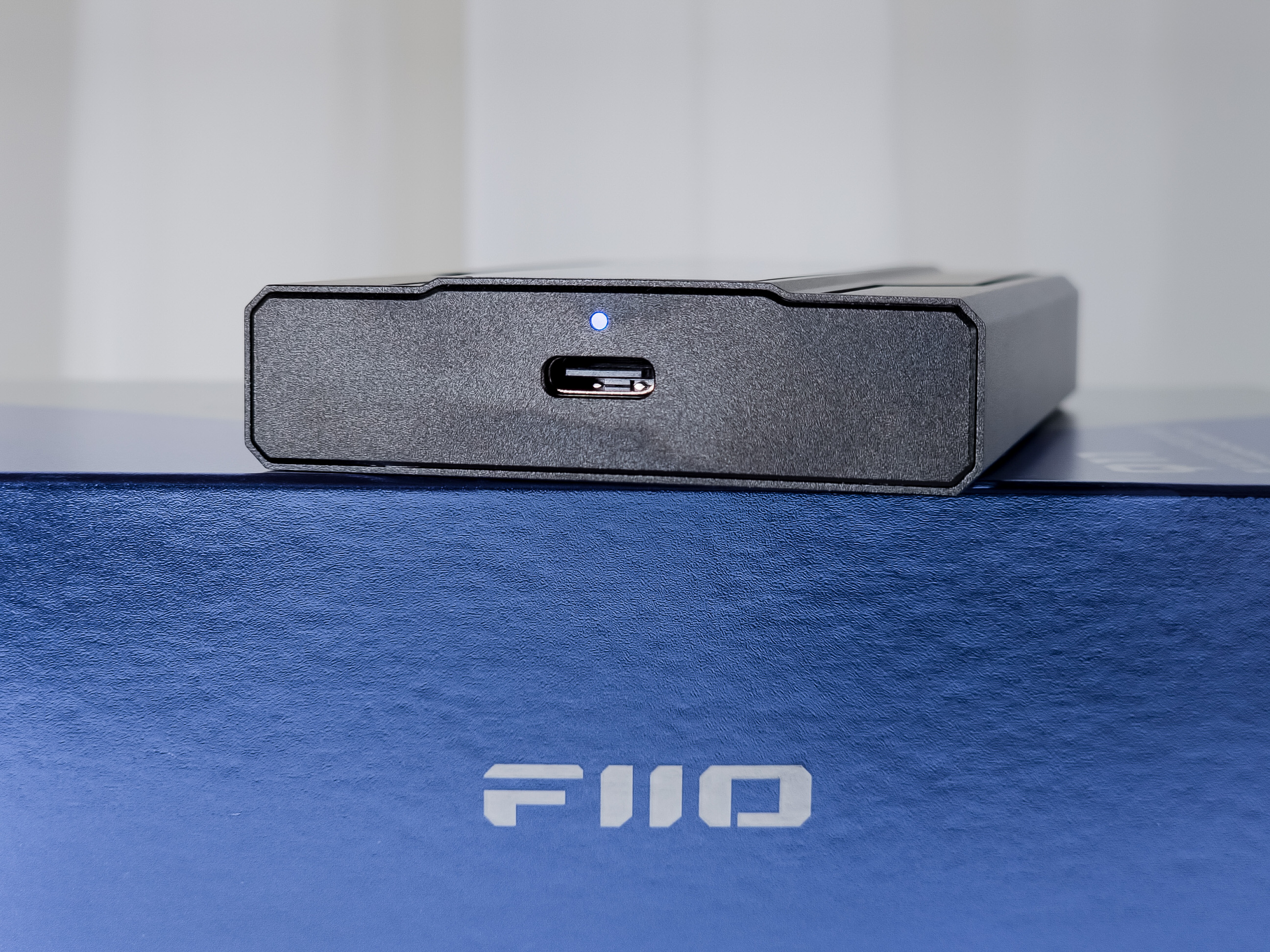
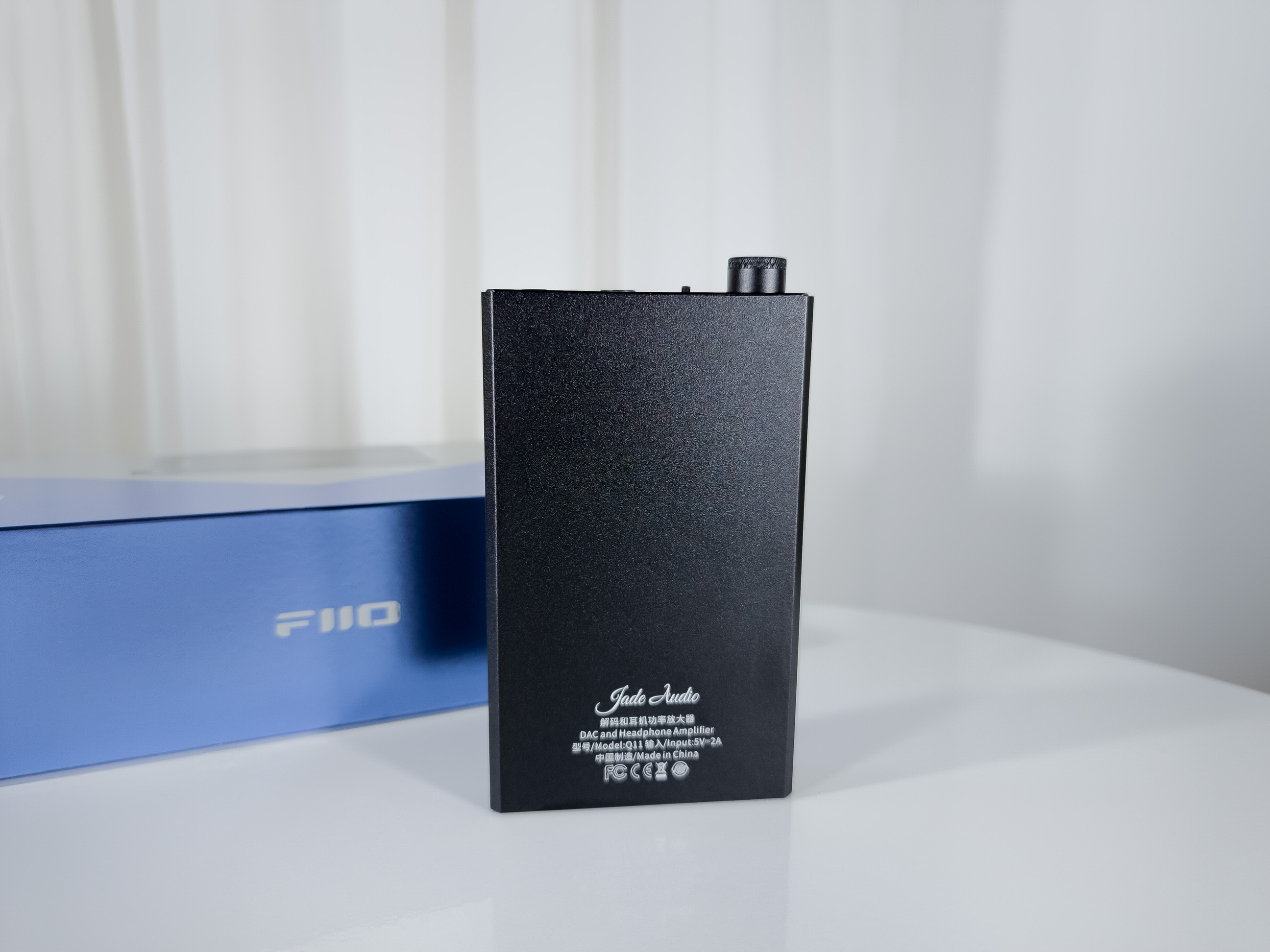
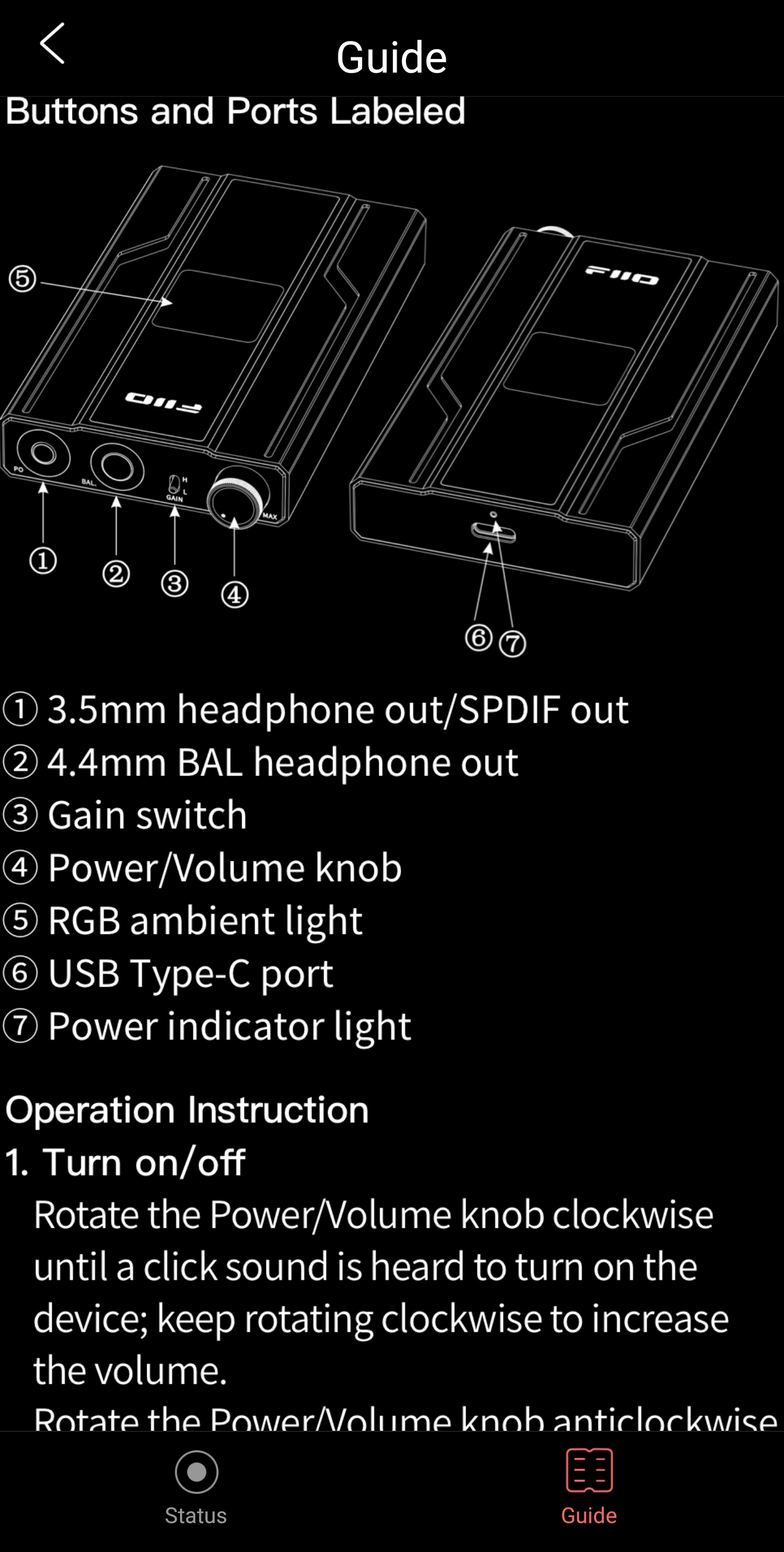
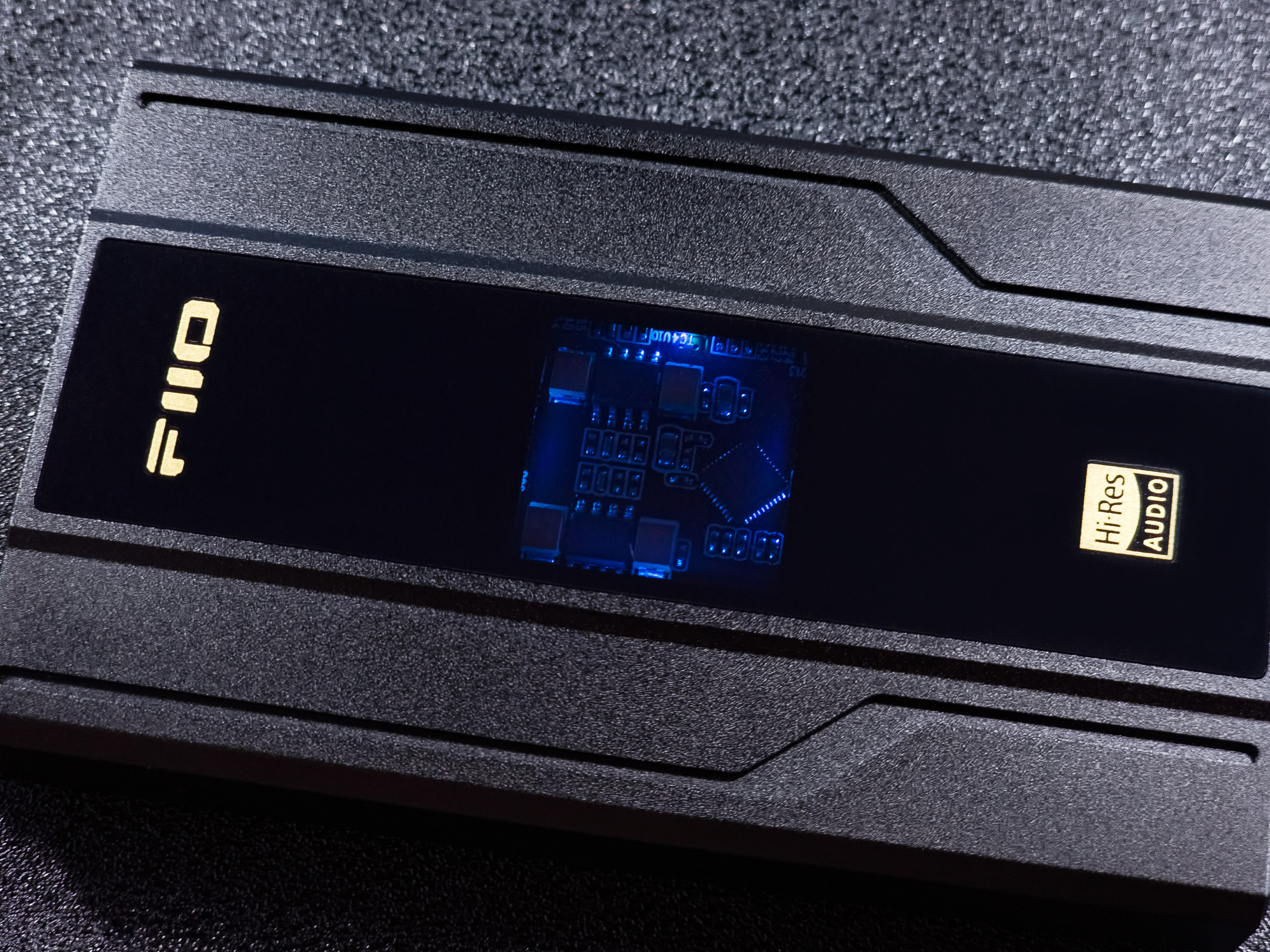
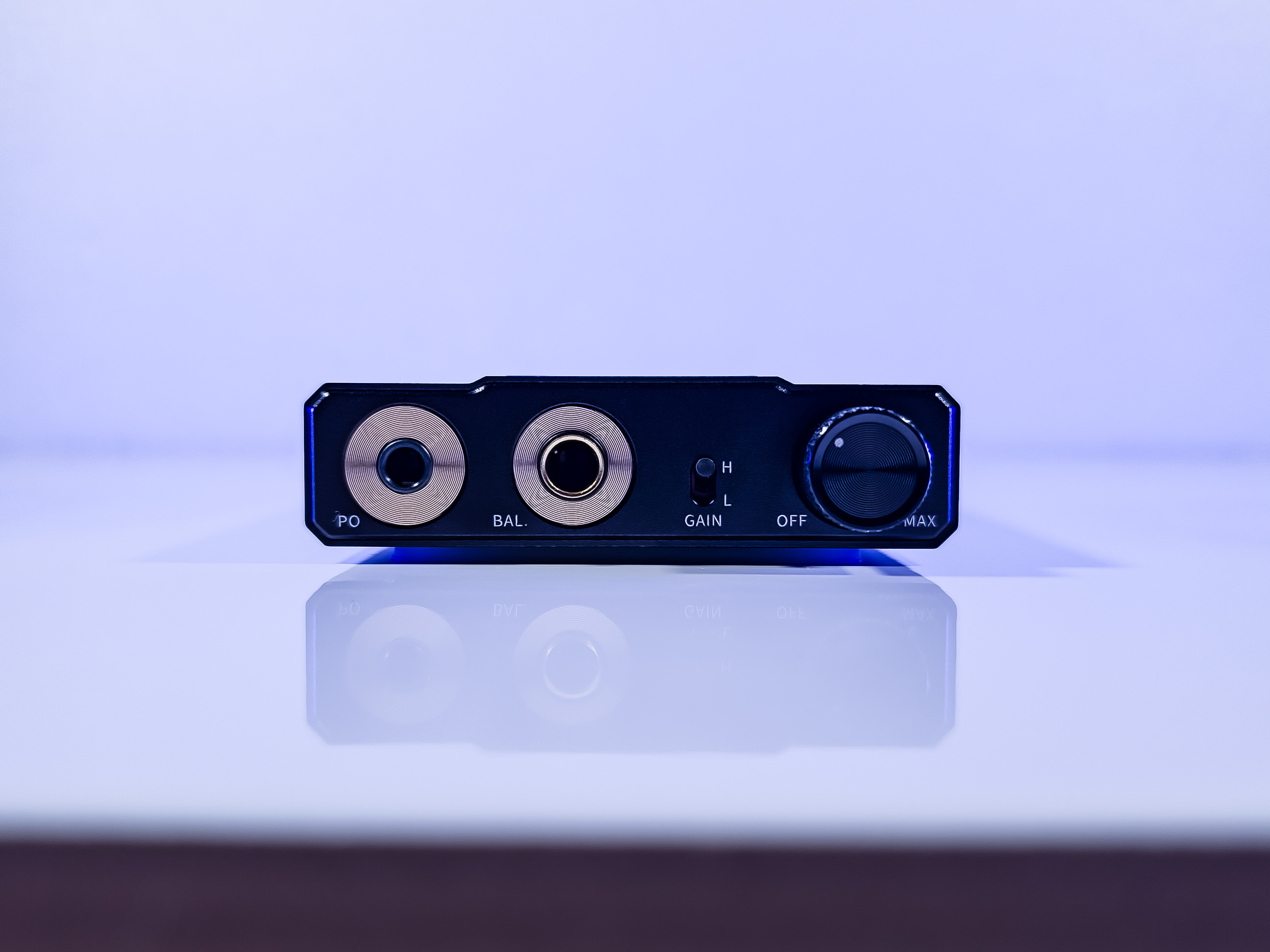
Starting with the product’s construction. FiiO delivered the quality of a product that costs much more than $89.99 USD, as I mentioned in the introduction, the company’s own Q3 costs almost double the value of the Q11, and so, I don’t see that the quality of the materials was reduced here, no, the standard is the same, both excellent. It’s all covered in metal, and in the center of the top part we have a glass part. In this glass part we will have a transparent region that shows a piece of the internal circuit. On the front we have the two outputs (3.5mm & 4.4mm), the gain switch, and the potentiometer. On the back we have the USB-C input and a small charging indicator LED.
The Q11 was very well machined, it has no sharp edges, and all ends are polished and “flattened”. Regarding the weight of the product, it has an internal battery, so there will be an increase in weight, here on my scale it gave 143.2g, I think it is not so light but not too heavy. The two buttons are firm and don’t rattle, that is, they don’t produce noise as if they were loose.
The only point I always mention in all DAC/AMP reviews of the brand is that the design brings on the top a kind of “crease” in the metal, a lower area forming a detail in the design, and I always warn about the issue of gathering some speck or dust inside this part. So, this design makes the product much more beautiful, but at the same time I believe that soon the product may look “used”, “old”. I won’t lie that I find the aesthetic part better with this design, but looking at the conservation of the product, we have this issue.
The potentiometer (volume knob) is made of metal (at least that was the impression I had). The volume scroll on this potentiometer I considered to be “firm”, that is, it has a bit of resistance when turning the knob, like, you can’t go to the max with just one scroll, you need to make the movement two or three times until you can get to the end. The potentiometer, in addition to being the volume knob, is also the On/Off button, it generates that “click” sound. An On/Off button on the potentiometer for me is a very positive point, as I can leave the Q11 connected directly to the computer and be able to turn it off (without having to disconnect the cable). This issue was something I criticized in the iFi ZEN Air DAC and also with the AUNE Flamingo, although in the latter there was an On/Off button on the back of the equipment.
High Gain and Low Gain. The equipment has a selector switch to change between Low Gain and High Gain. This feature provides the release of more power to the earphones. This is always a very good feature, I think it is something ideal to have in all equipment like this.
LEDs. The Q11 has a RGB LED system that is divided into two parts: The part related to the operation of the product (4 LEDs on the top surface), and the part related to the operation of the battery (1 LED on the back, just above the USB-C input).
– The behavior of the main Q11 LEDs is as follows: Blue color means the Q11 is on and running PCM files up to 48kHz; yellow color means it is running PCM files above 48kHz; and green color means it is running DSD files. If anyone is bothered by the top LED, it’s possible to turn it off through the FiiO Control App and leave it in two modes: always off or turn back on after restart.
– The behavior of the battery indicator LED is as follows: when it is charging with the device on, the LED turns purple; when it is charging with the device off, the LED turns red, when it is fully charged and operating, the LED turns blue.
FiiO Control App. FiiO provides an application for Android and iOS, through which it is possible to control some features of the Q11. Attention: according to FiiO, the Q11 cannot be controlled by the iOS (Apple) version of the application. Remember that here the functions of the App are restricted only to use with smartphones, but once you change the settings, they will be saved on the device.
On the first attempt to use the Q11 with the application installed on a Motorola smartphone (Android 9), I couldn’t, I don’t know why but the App didn’t recognize the Q11… The next day I tried again, and then it worked normally, I think it was something related to the App’s permission to control the Q11. I tested it on a Samsung (Android 13) and the application recognized the Q11 at first.
I’ll put the screenshots of the App and I think they are quite self-explanatory, so, they are as follows:
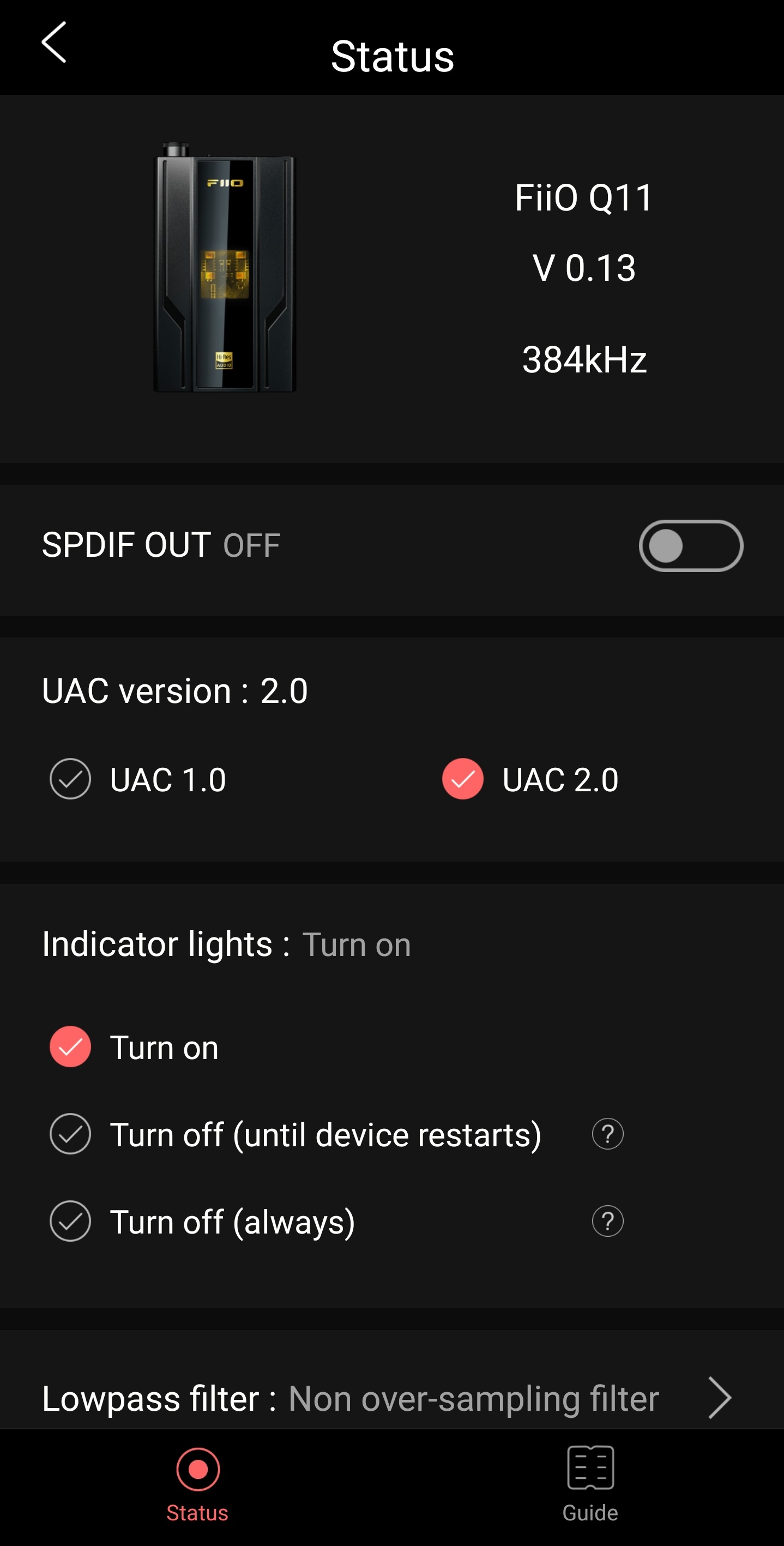
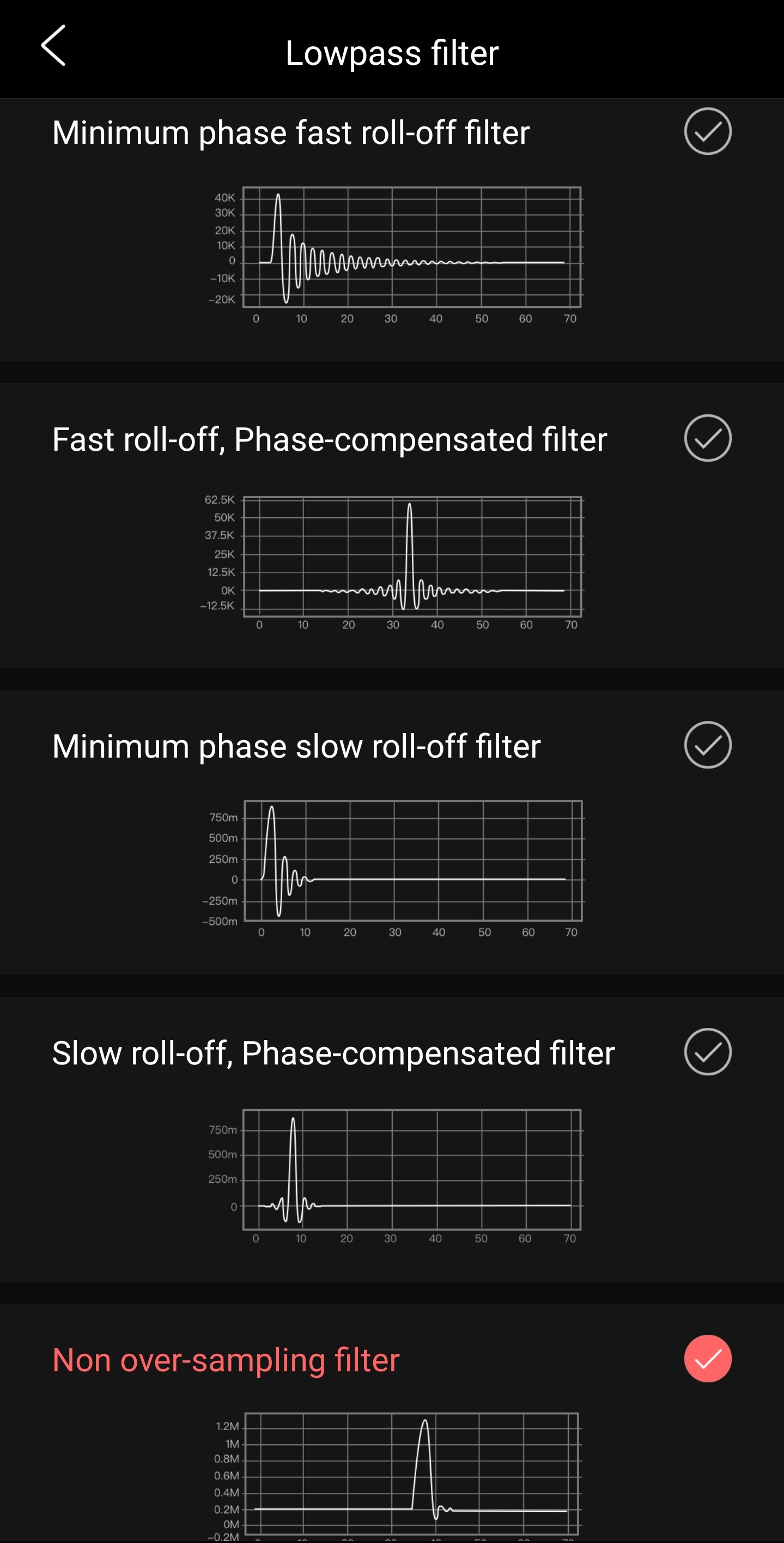
Unlike the KA5 dongle, the Q11 has far fewer features to be modified by the application.
Speaking a little about the portability and the product’s internal battery. The Q11 can be used both as a desktop DAC/AMP and as a portable DAC/AMP, the user will decide that. For me, the Q11 has a much more appeal for desktop use, due to its size and such, I see dongles with more “portability”, and my recommendation is the FiiO KA5 without hesitation. I confess that FiiO could have made the Q11 without an internal battery, but I also understand that then the use with smartphones would be impaired, and so they made it in a way that was good for both styles.
As the Q11 has an internal battery, it doesn’t use power from the smartphone, so the user can rest assured that it will not discharge the smartphone. The Q11 doesn’t do bypass (when in use for a computer), this is because it doesn’t have a switch to choose between using the computer’s power or continue using the battery power. I think the product would be better if it presented this solution. It’s possible to use the Q11 normally while it charges the battery.
Heating. While I was evaluating the product, I was touching the surface to see if the equipment was heating up disproportionately. What I could observe here is that the Q11 didn’t heat up the surface at any time, during an hour and even a little more the DAC/AMP remained at the temperature as if it was turned off, I found this a very positive point, something rare to see. It didn’t heat up either with it connected to the computer, nor with it connected to the smartphone. It continued without signs of heating even when I was using the 4.4mm output and with high gain activated.
At the time of writing this review, the Q11 doesn’t have any firmware update available, only the version that is already installed on the product. If this happens in the future, this page provides the necessary information: https://forum.fiio.com/firmwareDown.do
This other page may clarify some recurring questions about the equipment (only in English): https://www.fiio.com/q11_faq
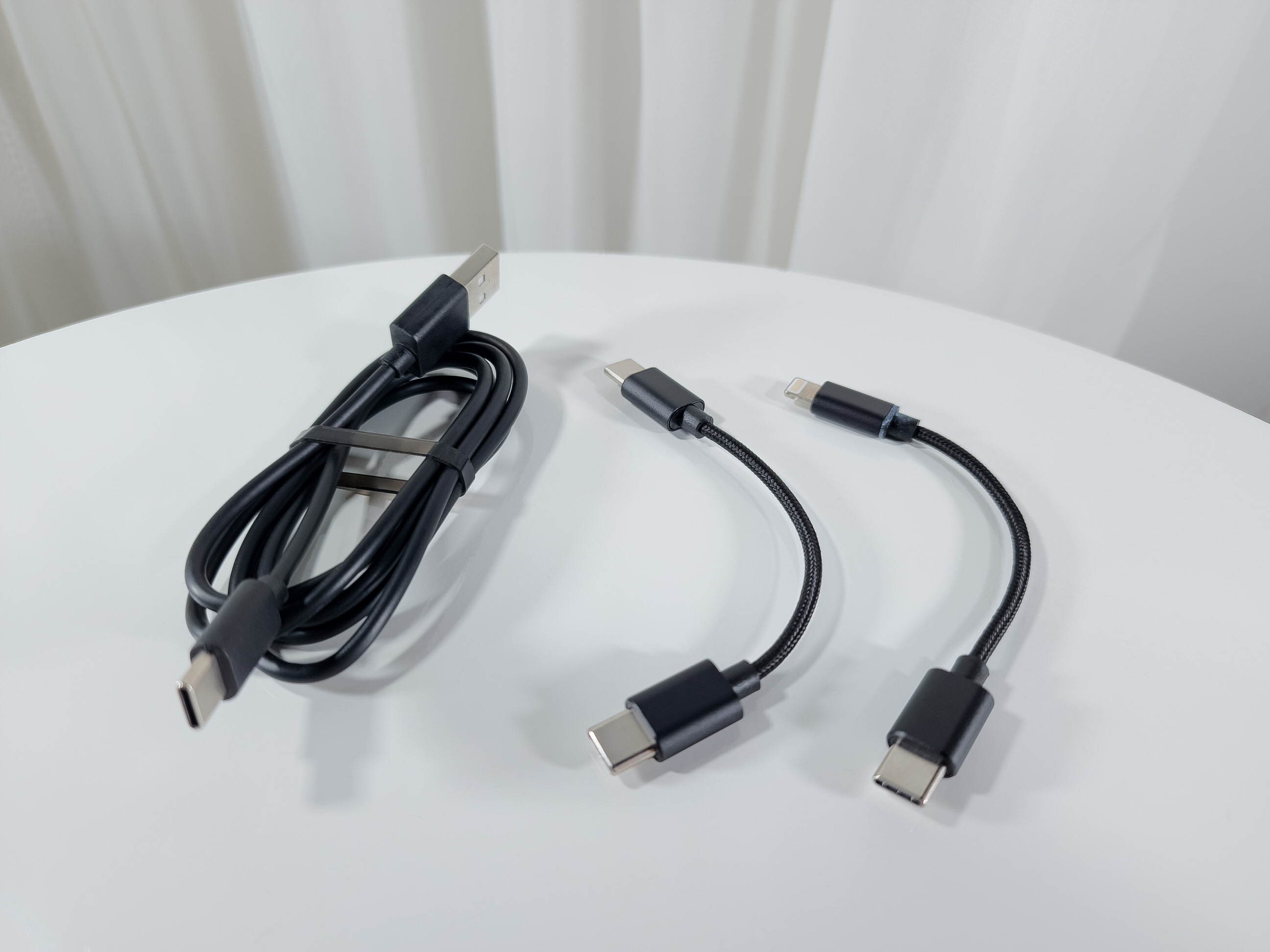
Accessories. I have to admit that the included accessories kit was very good, with 3 types of cables included: 1 USB-A to USB-C cable (100cm), 1 USC-C to USB-C cable (12cm), and 1 USB-C to Lightning (iPhone) cable (12cm). It also came with two rubber bands to attach the DAC/AMP to a smartphone, one rectangular one to place between the devices and another that looks like a butterfly, which would be used to hold the Q11 to the smartphone. In practice, I confess that I didn’t even use these rubber bands with the smartphone, the explanation I think I already said in the paragraph where I talk about portability. The Q11 doesn’t have a protective cover (at least not until the moment I write the review).
The Q11 was recognized immediately when I connected it to my computer (Windows10), I didn’t need to install any driver. According to FiiO, the Q11 isn’t compatible with versions prior to Windows10.
SOUND ASPECTS:
It must be remembered that this analysis is subjective, based on my experience with the product and also on the synergy with the other equipment I used here. I also already inform you that the more objectivist part of the hobby isn’t really my beach, so it may be that some information can be limited, I don’t have much knowledge about the technical side of this type of product.
I found the audio quality of the FiiO Q11 to be great. According to FiiO, the DAC chip used in the Q11 was from the company Cirrus Logic, model CS43198, exactly the same DAC chip used in the KA5 dongle. So it basically follows the same premise I had there with the KA5, the sound of the Q11 also had excellent performance, very transparent, defined, and high quality sound. I didn’t notice any distortion, coloring, noise floor or strange sound during the time I was testing the equipment.
High Gain and Low Gain. In terms of sound, the change between High Gain and Low Gain of the Q11 is really noticeable, the High Gain mode can get a little more power, the sound grows, expands, the bass becomes more dynamic. If you saw the review of the FD11, I did all the evaluation of the IEM with the Q11 in Low Gain, not every IEM will need to use the High Gain mode, I have a certain preference for set the High Gain activated and always keep the volume lower. With the FH3 I used the Q11 with High Gain, although the IEM doesn’t need more power to play well. With the P1 I also used High Gain, but because the P1 really needs more power for the sound not to be “weak”. In a general context, this feature is always welcome.
Amplification. For me, the amplification capability of the Q11 was excellent. Of course, this is a website only for IEMs and in most cases IEMs are very easy to push, but I have here the P1 which is a more “annoying” earphone to play, so the Q11 handled the P1 with plenty to spare, I didn’t need to get to the end of the potentiometer, although I was always using the IEM with High Gain activated (I think for the case of P1 it’s really necessary). With the IEMs I used in the 3.5mm output – FD11 and FH3 – the Q11 also had plenty left over, that is, around 12h (twelve o’clock) on the potentiometer the sound was already satisfactory for my ears.
About the digital filters. If you saw the screenshots I put of the FiiO Control App, you could see that it’s possible to make choices between 5 types of digital filters. Honestly, all the equipment that had these digital filters features that I tested, in none did I feel a significant difference to be able to make a solid comment, and so, I am also not the first person I see saying that they also cannot hear differences among these filters. So, for me, this is a feature that is not very useful. I think it would be better if the company put a graphic equalizer there in the application, I believe it would benefit more people (in my opinion).
I usually always say that to describe how the sound of this type of equipment is, it’s always interesting to compare it with another source, because then we have a reference, but in this review I ended up not using any other source besides my notebook’s audio board as a reference, at the moment I’m going to migrate to the Digital Audio Players (DAP) system, so I thought it wouldn’t be so interesting to compare one equipment with another, as they are very distinct products. So, what I can say is that compared to my native notebook audio board, the Q11 delivered much more quality, removed all the hiss that the audio board has, and provided much more power to push my IEMs. It was also noticeable that the Q11 presented a sound more inclined towards to the “warm”, a softer, more relaxed sound, while the Realtek sound is colder/brighter.


Thank you so much for being here!
Consider follow us on Facebook and Instagram to get all the news!

 )
)

 IEMs and Music